Working with LangGraph
LangDB provides seamless tracing and observability for LangChain-based applications.
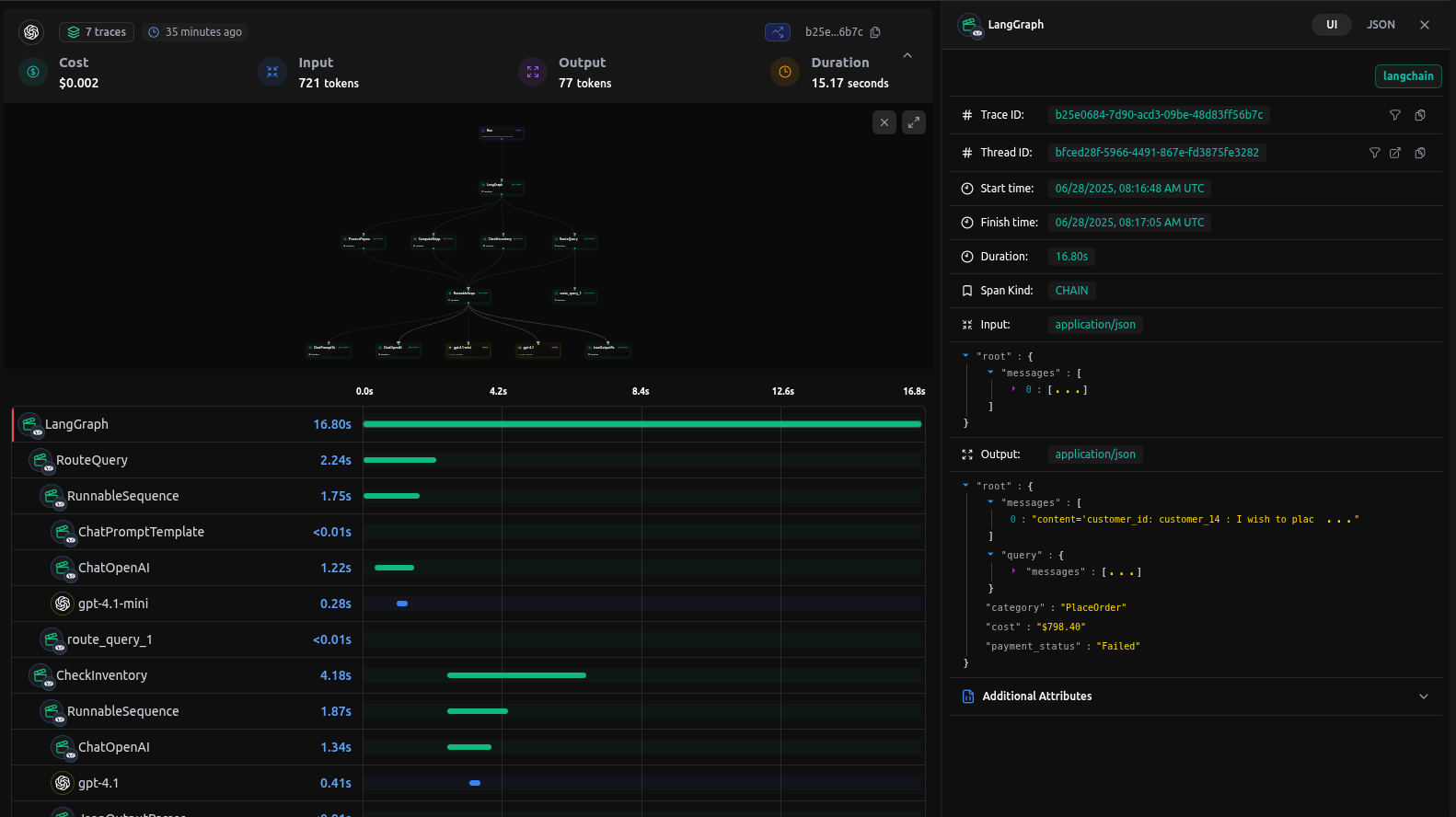
Checkout: https://app.langdb.ai/sharing/threads/bfced28f-5966-4491-867e-fd3875fe3282
Installation
Install the LangDB client with LangChain support:
pip install 'pylangdb[langchain]'
Quick Start
Export Environment Variables
export LANGDB_API_KEY="<your_langdb_api_key>"
export LANGDB_PROJECT_ID="<your_langdb_project_id>"
export LANGDB_API_BASE_URL='https://api.langdb.ai'
Initialize LangDB
Import and run the initialize before configuring your LangChain/LangGraph:
from pylangdb.langchain import init
# Initialise LangDB
init()
Define your Agent
# Your existing LangChain code works with proper configuration
from langchain.chat_models import ChatOpenAI
from langchain.schema import HumanMessage
import os

api_base = "https://api.langdb.ai"
api_key = os.getenv("LANGDB_API_KEY")
project_id = os.getenv("LANGDB_PROJECT_ID")

# Default headers for API requests
default_headers: dict[str, str] = {
    "x-project-id": project_id
}

# Initialize OpenAI LLM with LangDB configuratio
llm = ChatOpenAI(
    model_name="gpt-4o",
    temperature=0.3,
    openai_api_base=api_base,
    openai_api_key=api_key,
    default_headers=default_headers,
)
result = llm.invoke([HumanMessage(content="Hello, LangDB!")])
Once LangDB is initialized, all calls to llm, intermediate steps, tool executions, and nested chains are automatically traced and linked under a single session.
Complete LangGraph Agent Example
Here is a full LangGraph example based on ReAct Agent which uses LangDB Tracing.
Example code
Check out the full sample on GitHub: https://github.com/langdb/langdb-samples/tree/main/examples/langchain/langgraph-tracing
Setup Environment
Install the libraries using pip
pip install langgraph 'pylangdb[langchain]' langchain_openai geopy
Export Environment Variables
export LANGDB_API_KEY="<your_langdb_api_key>"
export LANGDB_PROJECT_ID="<your_langdb_project_id>"
export LANGDB_API_BASE_URL='https://api.langdb.ai'
main.py
# Initialize LangDB tracing
from pylangdb.langchain import init
init()

import os
from typing import Annotated, Sequence, TypedDict
from datetime import datetime

# Import required libraries
from langchain_core.messages import BaseMessage, HumanMessage, AIMessage, ToolMessage
from langchain_core.tools import tool
from langgraph.graph.message import add_messages
from langgraph.prebuilt import ToolNode
from langgraph.graph import StateGraph, END
from langchain_openai import ChatOpenAI
from geopy.geocoders import Nominatim
from pydantic import BaseModel, Field
import requests

# Initialize the model
def create_model():
    """Create and return the ChatOpenAI model."""
    api_base = os.getenv("LANGDB_API_BASE_URL")
    api_key = os.getenv("LANGDB_API_KEY")
    project_id = os.getenv("LANGDB_PROJECT_ID")
    default_headers = {
        "x-project-id": project_id,
    }
    llm = ChatOpenAI(
        model_name='openai/gpt-4o', # Choose any model from LangDB
        temperature=0.3,
        openai_api_base=api_base,
        openai_api_key=api_key,
        default_headers=default_headers
    )
    return llm

# Define the agent state
class AgentState(TypedDict):
    """The state of the agent."""
    messages: Annotated[Sequence[BaseMessage], add_messages]
    number_of_steps: int

# Define the weather tool
class SearchInput(BaseModel):
    location: str = Field(description="The city and state, e.g., San Francisco")
    date: str = Field(description="The forecasting date in format YYYY-MM-DD")

@tool("get_weather_forecast", args_schema=SearchInput, return_direct=True)
def get_weather_forecast(location: str, date: str) -> dict:
    """
    Retrieves the weather using Open-Meteo API for a given location (city) and a date (yyyy-mm-dd).
    Returns a dictionary with the time and temperature for each hour.
    """
    geolocator = Nominatim(user_agent="weather-app")
    location = geolocator.geocode(location)
    if not location:
        return {"error": "Location not found"}
    try:
        response = requests.get(
            f"https://api.open-meteo.com/v1/forecast?"
            f"latitude={location.latitude}&"
            f"longitude={location.longitude}&"
            "hourly=temperature_2m&"
            f"start_date={date}&end_date={date}",
            timeout=10
        )
        response.raise_for_status()
        data = response.json()
        return {
            time: f"{temp}°C"
            for time, temp in zip(
                data["hourly"]["time"],
                data["hourly"]["temperature_2m"]
            )
        }
    except Exception as e:
        return {"error": f"Failed to fetch weather data: {str(e)}"}


# Define the nodes
def call_model(state: AgentState) -> dict:
    """Call the model with the current state and return the response."""
    model = create_model()
    model.bind_tools([get_weather_forecast]
    messages = state["messages"]
    response = model.invoke(messages)
    return {"messages": [response], "number_of_steps": state["number_of_steps"] + 1}

def route_to_tool(state: AgentState) -> str:
    """Determine the next step based on the model's response."""
    messages = state["messages"]
    last_message = messages[-1]
    if hasattr(last_message, 'tool_calls') and last_message.tool_calls:
        return "call_tool"
    return END

# Create the graph
def create_agent():
    """Create and return the LangGraph agent."""
    # Create the graph
    workflow = StateGraph(AgentState)
    workflow.add_node("call_model", call_model)
    workflow.add_node("call_tool", ToolNode([get_weather_forecast]))
    workflow.set_entry_point("call_model")
    workflow.add_conditional_edges(
        "call_model",
        route_to_tool,
        {
            "call_tool": "call_tool",
            END: END
        }
    )
    workflow.add_edge("call_tool", "call_model")
    return workflow.compile()

def main():
    agent = create_agent()
    query = f"What's the weather in Paris today? Today is {datetime.now().strftime('%Y-%m-%d')}."
    initial_state = {
        "messages": [HumanMessage(content=query)],
        "number_of_steps": 0
    }
    print(f"Query: {query}")
    print("\nRunning agent...\n")
    for output in agent.stream(initial_state):
        for key, value in output.items():
            if key == "__end__":
                continue
            print(f"\n--- {key.upper()} ---")
            if key == "messages":
                for msg in value:
                    if hasattr(msg, 'content'):
                        print(f"{msg.type}: {msg.content}")
                    if hasattr(msg, 'tool_calls') and msg.tool_calls:
                        print(f"Tool Calls: {msg.tool_calls}")
            else:
                print(value)

if __name__ == "__main__":
    main()
Running your Agent
Navigate to the parent directory of your agent project and use one of the following commands:
python main.py
Output
--- CALL_MODEL ---
{'messages': [AIMessage(content="The weather in Paris on July 1, 2025, is as follows:\n\n- 00:00: 28.1°C\n- 01:00: 27.0°C\n- 02:00: 26.3°C\n- 03:00: 25.7°C\n- 04:00: 25.1°C\n- 05:00: 24.9°C\n- 06:00: 25.8°C\n- 07:00: 27.6°C\n- 08:00: 29.6°C\n- 09:00: 31.7°C\n- 10:00: 33.7°C\n- 11:00: 35.1°C\n- 12:00: 36.3°C\n- 13:00: 37.3°C\n- 14:00: 38.6°C\n- 15:00: 37.9°C\n- 16:00: 38.1°C\n- 17:00: 37.8°C\n- 18:00: 37.3°C\n- 19:00: 35.3°C\n- 20:00: 33.2°C\n- 21:00: 30.8°C\n- 22:00: 28.7°C\n- 23:00: 27.3°C\n\nIt looks like it's going to be a hot day in Paris!", additional_kwargs={'refusal': None}, response_metadata={'token_usage': {'completion_tokens': 319, 'prompt_tokens': 585, 'total_tokens': 904, 'completion_tokens_details': None, 'prompt_tokens_details': None, 'cost': 0.005582999999999999}, 'model_name': 'gpt-4o', 'system_fingerprint': None, 'id': '3bbde343-79e3-4d8f-bd97-b07179ee92c0', 'service_tier': None, 'finish_reason': 'stop', 'logprobs': None}, id='run--4fd3896d-1fbd-4c91-9c21-bd6cf3d2949e-0', usage_metadata={'input_tokens': 585, 'output_tokens': 319, 'total_tokens': 904, 'input_token_details': {}, 'output_token_details': {}})], 'number_of_steps': 2}
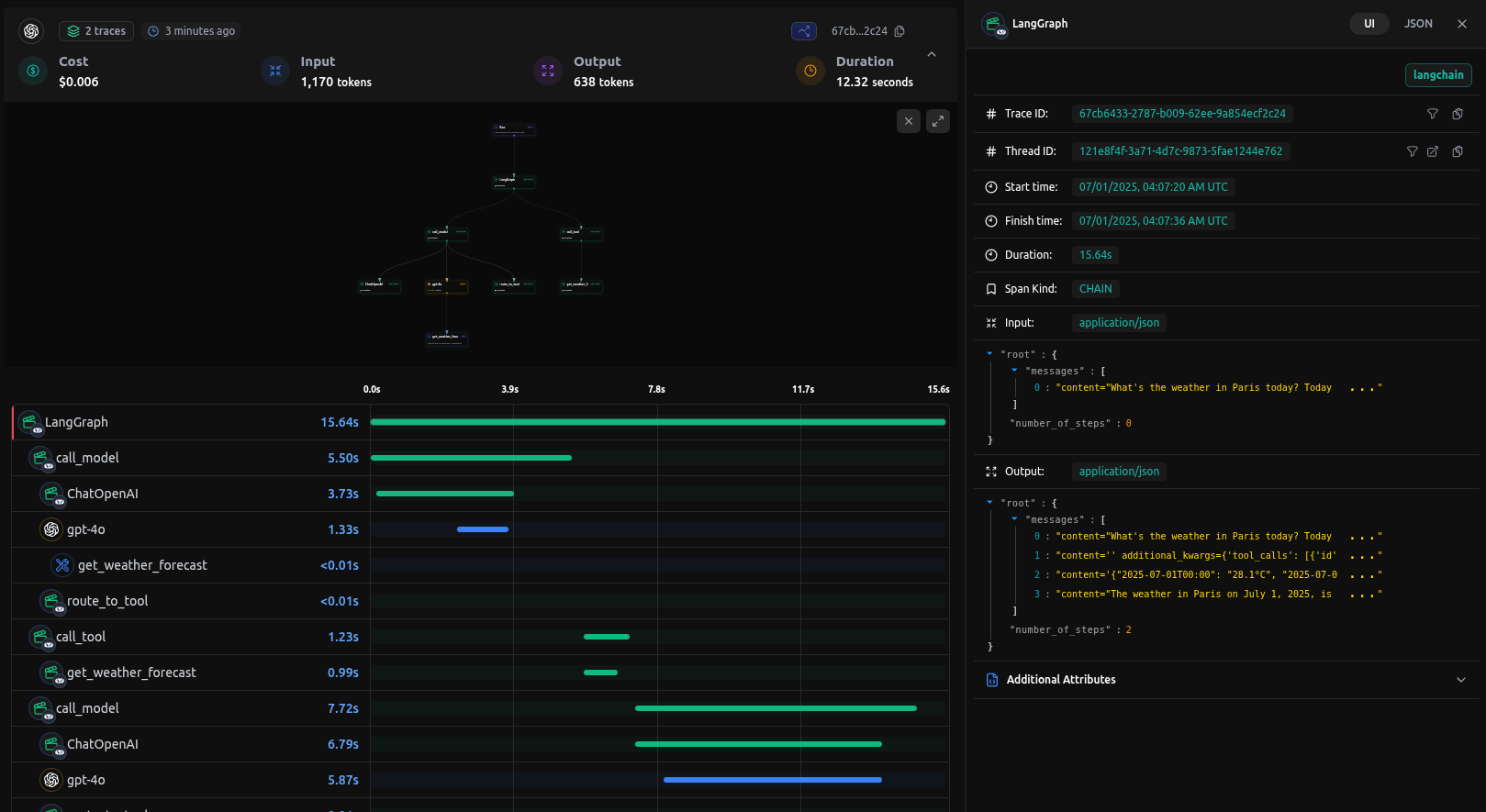
Traces on LangDB
When you run queries against your agent, LangDB automatically captures detailed traces of all agent interactions:
Next Steps: Advanced LangGraph Integration
This guide covered the basics of integrating LangDB with LangGraph using a ReAcT agent example. For more complex scenarios and advanced use cases, check out our comprehensive resources in Guides Section.